
1) Click on the New (plus) icon in the icon toolbar

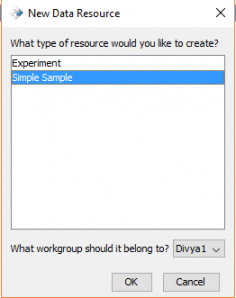
2) Select Sample and the appropriate workgroup, then press OK.
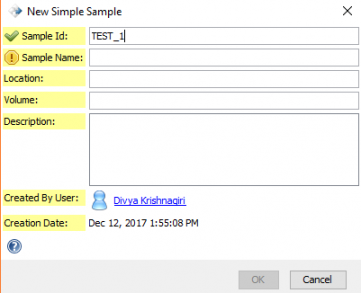
3) Fill in the fields with the appropriate information. Note: the yellow exclamation points will turn into green checkmarks once the field is filled out.
See also:
< Creating an Experiment up View SDIMS Card >