
1) Select the New (plus) icon from the icon toolbar.

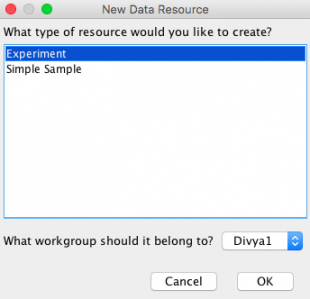
2) Select Experiment and the appropriate workgroup.
3) Fill in the appropriate fields and click OK. The Experiment Type is a field that can be configured using vocabularies. Each new term under the “experiment” header is an experiment type.
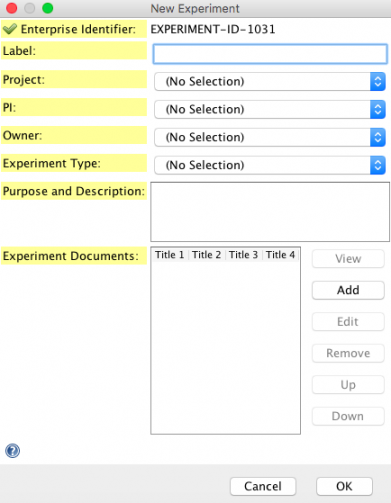
NOTE: To edit or create a suitable list of “Experiment Types” in the dropdown, you will need to be granted the “Edit Controlled Vocabulary” capability by a CERF admin. If you have that capability you can then edit this list using the Tools menu > Manage Vocabularies.
See Also:
< Data and Forms Icons up Creating a Sample >