
If you have been asked to mark a Controlled Document you will receive a Notification if the business policy is configured for this. If email SMTP settings are configured (managed by the System Administrator), you will also get an email telling you to check your CERF Notifications.
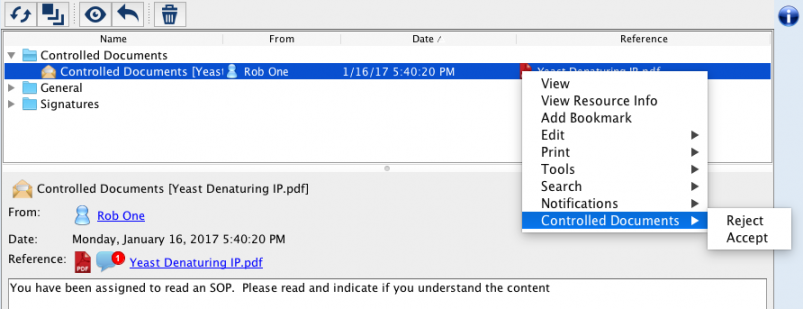
Open the Notifications pane to see your Notifications. Right-click on the reference to view the Controlled Document or to mark it (Accept, Reject, Edit). Note that only controlled Document Managers can edit the Controlled Document.
You can also manage your Controlled Documents through the Controlled Documents pane, where there are more options.
< Managing up Marking >