
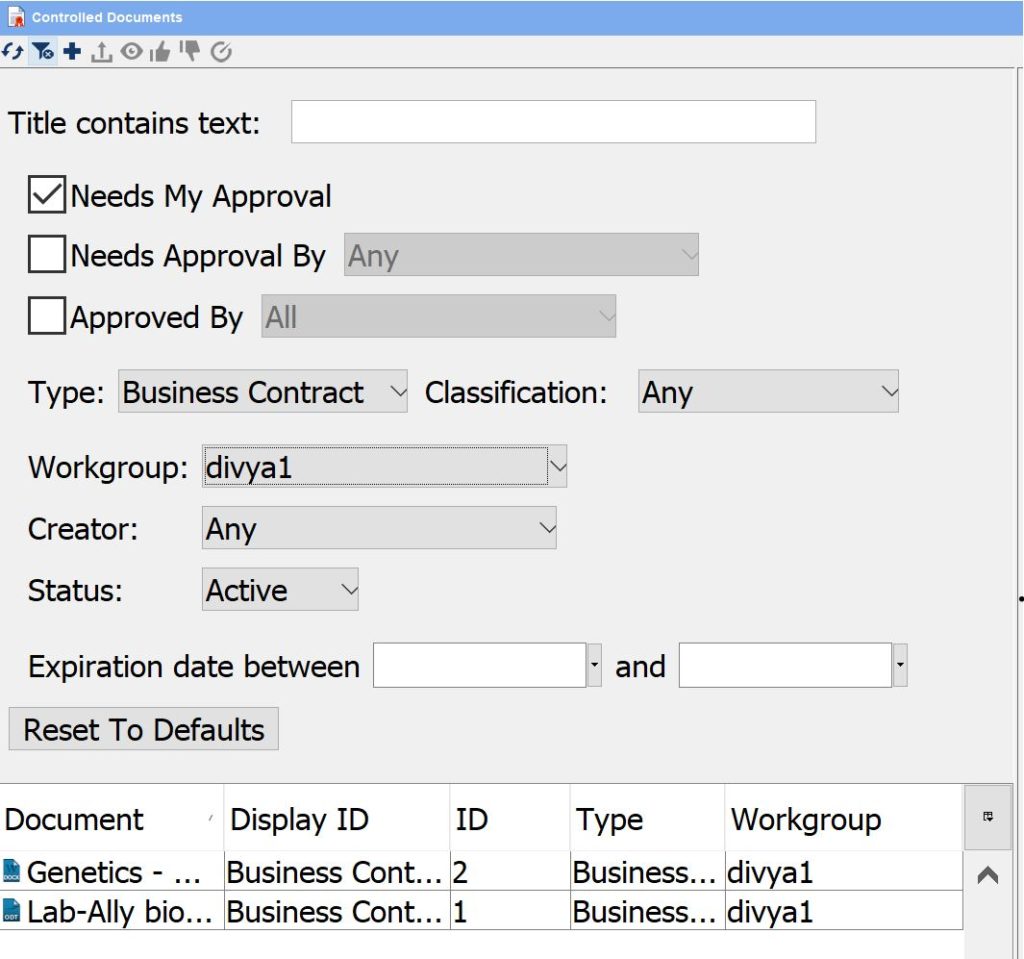
You can narrow the view to show Controlled Documents:
- that need your approval
- that have been approved by a selected user
- of a selected type and classification
- owned by a selected workgroup to which you belong
- with specific text in the title
- created by a selected user
- that are active, inactive, or expired
- that have an expiration date within a set range
Click on Show Filters  in the Controlled Documents pane (this toggles to “Hide Filters”
  ).
).

Here is an example where the user is looking for all Controlled Documents that are Business Contracts (includes NDA), need her approval and are owned by the divya1 Workgroup:
< Marking up Using >