
If your system administrator has granted you the capability to create workgroups, you will see a new button in the Edit Workgroups dialog.
- Log in with your user login credentials.
- Select Sessions > Manage Workgroups.
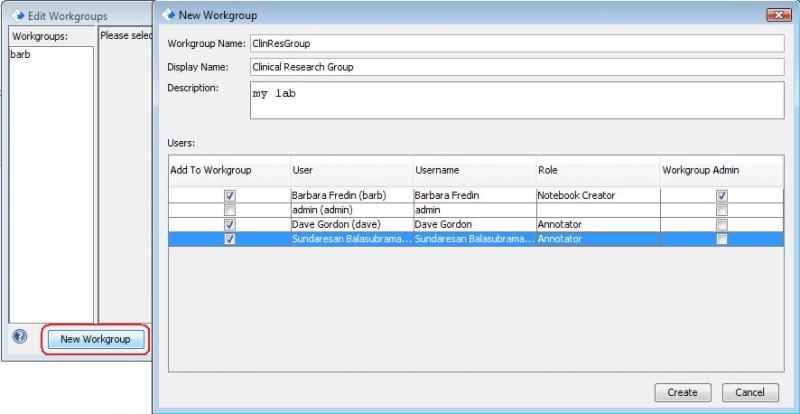
- In the Edit Workgroups dialog, click on the New Workgroup button (circled below).
- In the New Workgroup dialog, fill in Workgroup Name (no spaces or apostrophes), Display Name, and Description.
- Select checkboxes next to users who will be in the workgroup, select a role for them from the drop-down list that appears when they are selected, and select a workgroup administrator.
- Click on the Create button when you are finished.
- In the Edit Workgroups dialog, click OK.
< Workgroups up Managing Workgroups >