
Controlled vocabularies provide a way to use consistent terms as descriptive metadata. A Semantic Type controlled vocabulary is available for most Resource types. Your install of CERF may include Resource types other than those shown here and may include customized controlled vocabularies. Some Resource Types are available only if you are in a Workgroup that belongs to a Domain that can access the Resource Type. Once you have added a controlled vocabulary term, you can use it in a controlled vocabulary search to find related Resources.
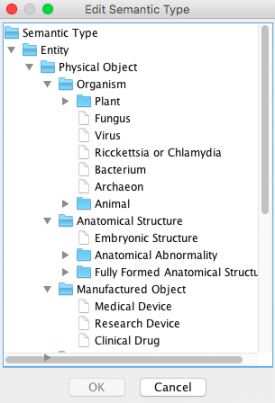
If you select Semantic Type when you click on the Add More Metadata button, you will see the following dialog:
Expand the list, select a term, and click OK.
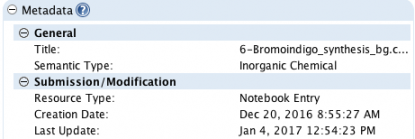
This term is now associated with the resource. You will see the addition to its metadata in the Info panel (when the resource is selected in the Document Tree):
Later you can retrieve this resource by including the Controlled Vocabulary parameter in your search.
There is another type of vocabulary in CERF called a User-Created Vocabulary, or just “Vocabulary” for short. User-created vocabularies are not associated with resource types and are not searchable using the Controlled Vocabulary parameter, but have the advantage that they can be edited to create custom ontologies that can be added to CERF resources as Advanced Tags. All users will see and and be able to use the user-created vocabularies when they add an Advanced Tag to a resource.
Sections in this Topic
< Edit Metadata Inline up Managing Vocabularies >