
Note that you can also edit metadata inline in the right-hand Info Panel.
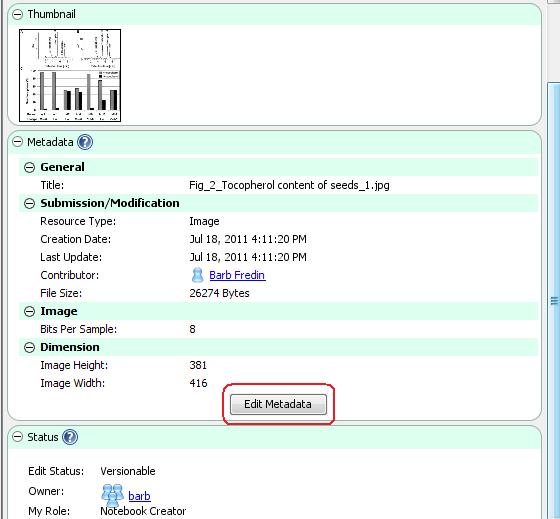
- Select the resource of interest in the Document Tree and look at the Info Panel on the right-hand side of the CERF application.
- Click on the Edit button in the Metadata panel (circled below).
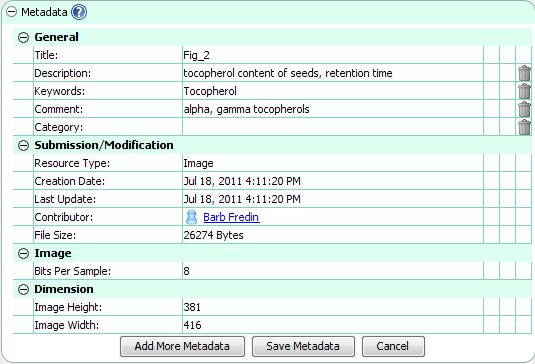
- Click on a field to make changes (note that not all fields are editable). Click on the Delete (trash) icon to delete metadata.
- Click on Add More Metadata (circled below) if you want to add specific types of metadata. The next image illustrates adding a link to a CERF Resource.
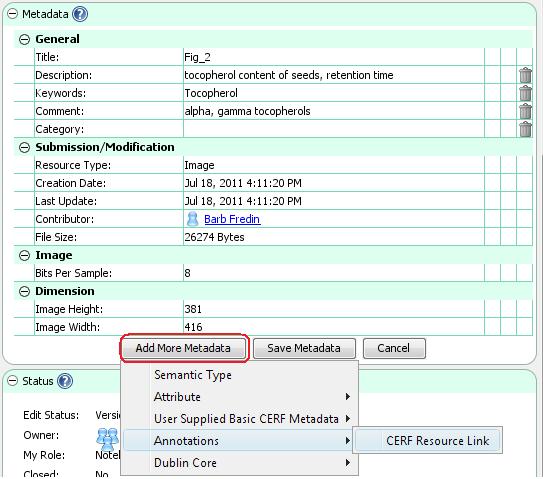
- If you select CERF Resource Link, the Search dialog is launched. Enter a search term and click on Search. Select the CERF Resource from the list of Search Returns and click OK to add it to the metadata. This creates a link in the metadata.
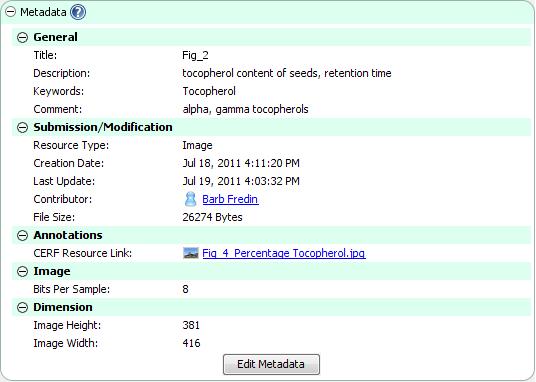
- Click on the Save Metadata button. The new metadata are shown in the Info pane:
< Metadata up Controlled Vocabulary >