
- To add a Note to a CERF Resource in the Document Tree, right-click on the Resource and select Edit > Add Relation. If you are working on a Notebook Page in the Notebook Viewer, you can either right-click on the Entry and select Edit > Add Relation or click on the Add Note button
 in the Entry toolbar. This launches a simple text editor.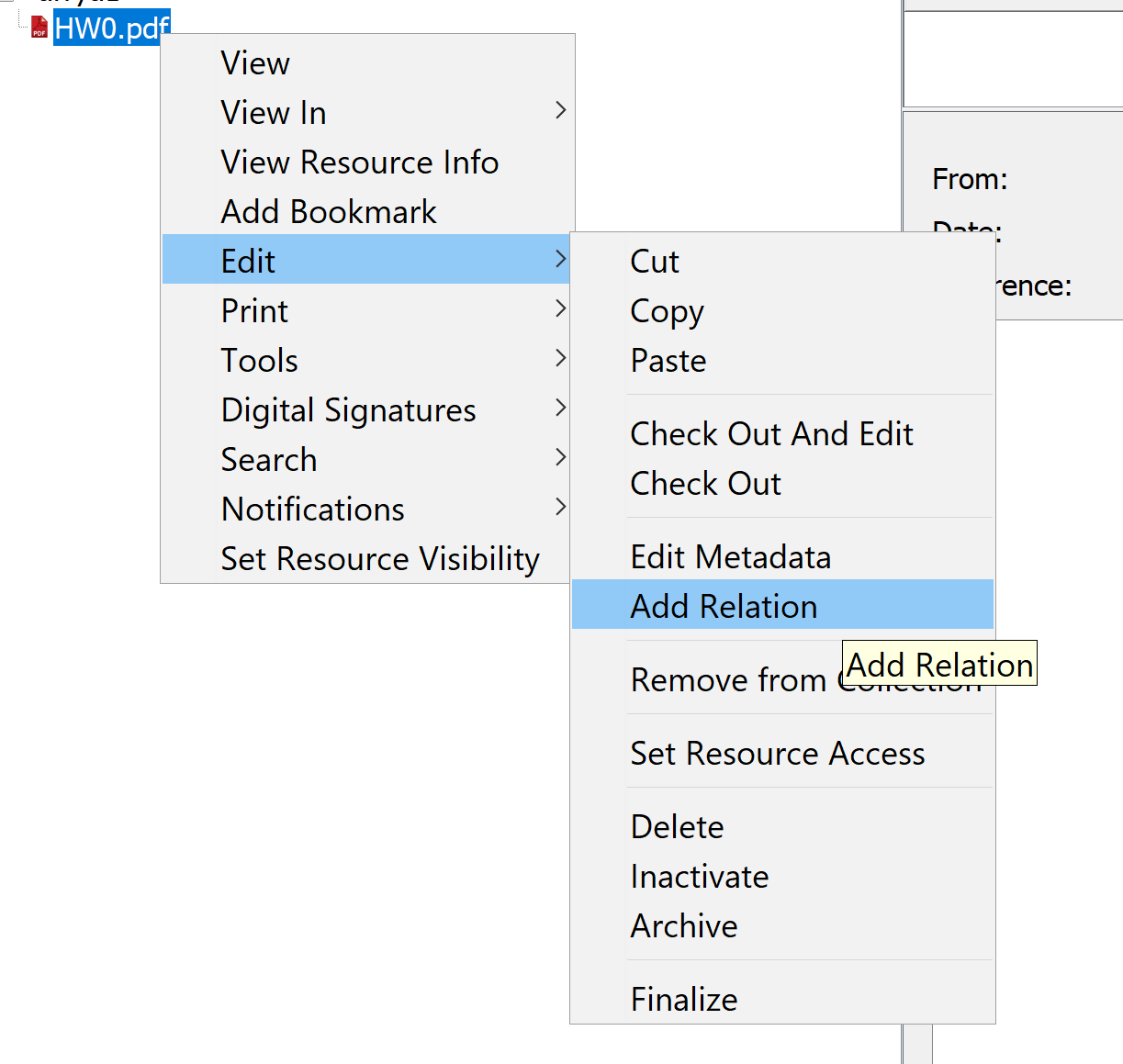
- Select Note from the list of relation types.
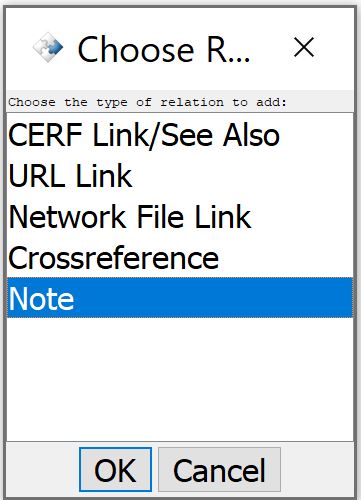
- Type in text and click on Save in the text editor (this closes the editor and registers the Note as a CERF Resource).
- To view the Note from the Document Tree, select the annotated Resource (which will have an annotation icon
 ), then open the Info panel (or click the Info button) and expand the Relations and Annotations pane. The Note is displayed in the Relations and Annotations pane (the title of a Note includes the title of the Resource that is annotated, followed by Note and a time/date stamp.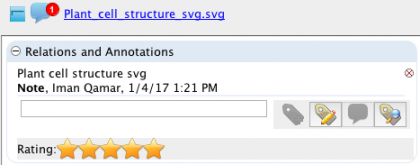
- If you are working on a Notebook Page in the Notebook Viewer, the annotation icon will be displayed on the Entry header (click the Show Headers
 button if headers are hidden). To view the annotation, click on the annotation icon on the Entry header to launch a dialog showing annotations.
 - If the Relations and Annotations pane is opened, right-click on the Note and select View to read it. Click on the small ‘X’ icon
 to the right of the annotation title to delete it.
< Star Ratings up Printing >