
There is a CERF business policy that controls whether Notebooks, Sections, and Pages must be printed before they can be signed. Your System Administrator sets the policies for your organization. If this policy is set to True, CERF will display a message when you try to sign a Notebook, Section, or Page informing you that you must print the Notebook, Section, or Page and asks you if you want to do so now.
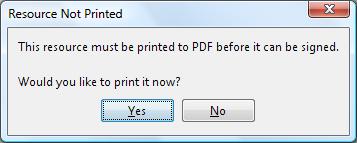
If the Notebook, Section, or Page has already been printed, CERF will tell you to View the Printed Copy (if required) or Sign the resource.
If no printed copy exists, CERF will send you a notification after you have printed the Notebook, Section, or Page saying that it is ready to sign.
After signing is completed, the printed copy will also be signed.
< Signature Workflow up View before Signing >