
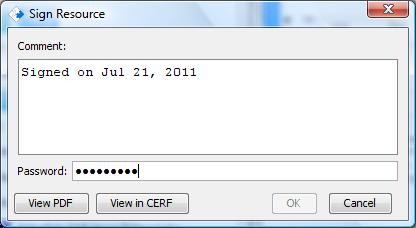
It is assumed that you will read the documents you are asked to sign or cosign. There is a business policy is CERF that can be configured (by the System Administrator) so that you are required to view a printed copy (if one exists) or view the resource itself in CERF before you can sign it. If you are required to print to PDF before signing, the signing button will be disabled (as shown below) and you view the PDF. If you are not required to print to PDF before signing, but if the policy requiring viewing is true, the signing button will be disabled until you select “View in CERF.”
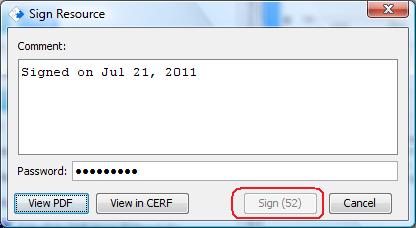
There is another business policy that determines the amount of time you must spend viewing the PDF copy prior to signing. If this policy is turned on, you will see the seconds counting down (circled below). When the “signing lag time” is reached, the Sign button will be enabled and you may sign the resource. Again, if you were required to print before signing, you must view the PDF for the length of time shown. If printing was not required but the Sign button is disabled, then you must view in CERF for the specified length of time.
There are separate business policies for Signing and Cosigning.
< Print before Signing up Signing >