
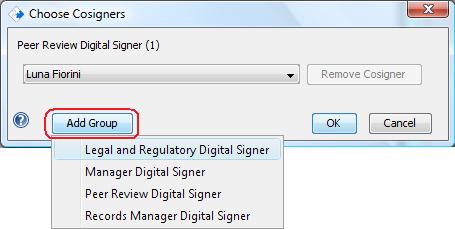
The Add Cosigners dialog allows the Signer to add new signature groups. This is useful when you need to add Cosigners that are not already contributors on the page. (NOTE: CERF automatically adds all other contributors of resources to the page as Cosigners. Do NOT add these co-contributors yourself)
Click on Add Group (at the bottom of the Add Cosigners dialog) and add another Signing Role to the Signature Workflow. New signature roles are added to the workflow in the order the signer adds them. This is optional. Note that you must have a person in your Signature Group who has the Signing Role.
< Cosigning up View before Cosigning >