
If you created a Notebook Page, you are the contributor and you should, therefore, be able to initiate signing on your Page. However, if other members of your workgroup have contributed Entries on this page, you will not be able to initiate signing until they have finalized all of their Entries on your page or they have completed signing on all of their Entries. When you attempt to initiate signing, CERF will display a message if there are multiple contributors.
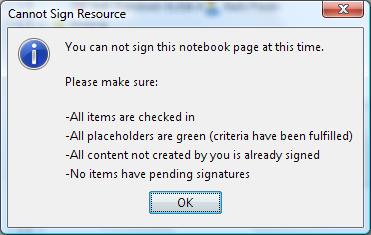
Note: the process is easier if co-contributors only use the “Finalize My Entries” option at first, and not yet sign until after the Notebook Page contributor (creator of the page) initiates the signing process.
If you are a co-contributor, you need to Finalize your Entries as soon as you are finished so that the Page can be signed in a timely fashion. To do this, select the Page and click on View  to open it in the Notebook Viewer. Click on the “Finalize My Entries”
  button on the Page Toolbar. (Or right-click on the Page in the Document Tree and select Notebook > Finalize My Entries).
Once all co-contributors have finalized their own Entries, the person who created the Page will need to use the “Finalize My Entries” option first, and then can initiate signing and select cosigners. Also, in the Add Cosigners dialog, you can add a new signature group with a specific role.
NOTE: Do NOT add co-contributors in the Choose Cosigners dialog as CERF has already added these users in the background (not displayed here).
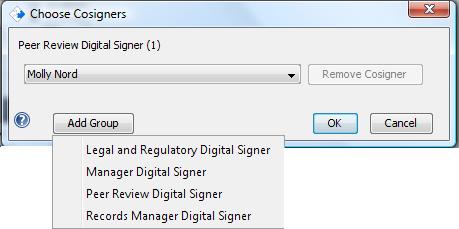
The CERF server will automatically insert a Signature Group for all the co-contributors to the Page and assign them the “Digital Signer” role relative to the signature workflow. (Important NOTE: The co-contributors are not displayed as already being selected as Cosigners. Do NOT add co-contributors on your own, CERF automatically adds them on the back end.) Keep in mind that you should include members of your workgroup as Cosigners who did not contribute to the Page, so that they can sign off on your work.
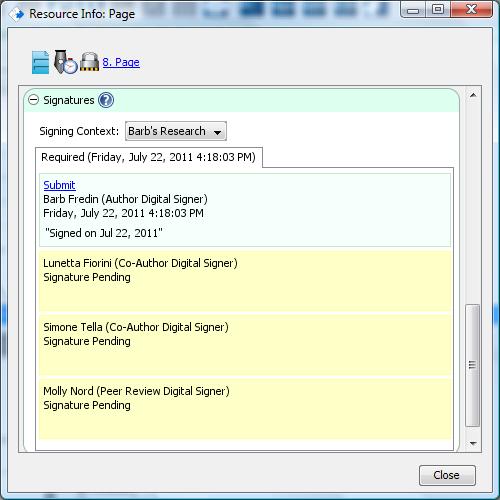
Notifications will then be sent to all cosigners asking them to Cosign the Page. They can either cosign the Page or Cancel/Reject signatures.
After the cosigners and co-contributors have cosigned the Page, notifications will be sent to the next Signature Group selected by the initiator (Page contributor) to cosign the Page.
< View before Cosigning up Signing in Multiple Contexts >