
CERF 6.0 Documentation
Go to CERF 5.3 Documentation
File Cabinets assist the user in organizing and managing their documents in a familiar workflow environment as they would typically store their documents on a File Server. Once files are added to CERF, then can then be tracked for versioning and used as resources for Notebooks. File Cabinets can be shared with users of the same Workgroup.
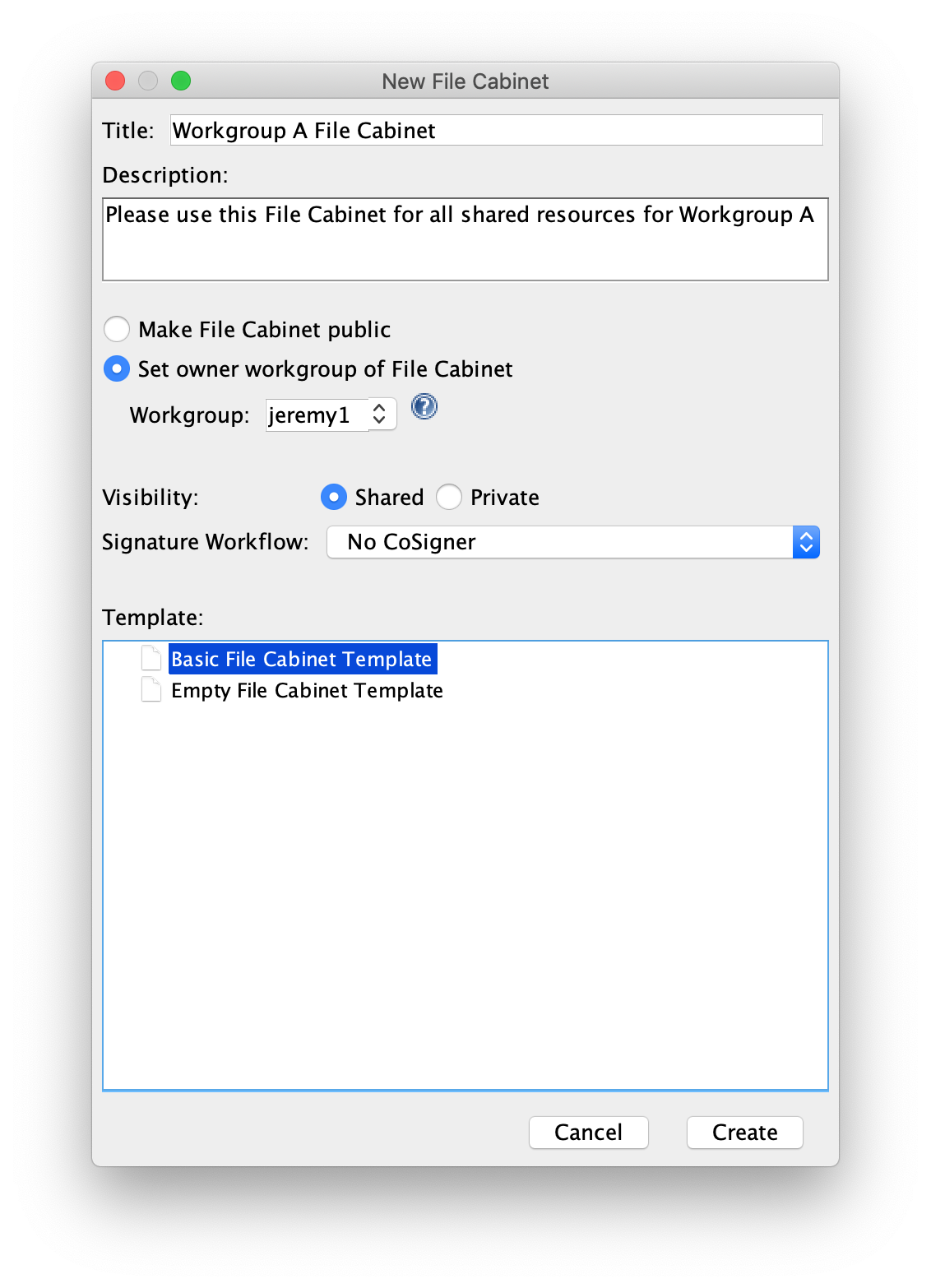
If a user has the role of “File Cabinet Manger” for a Workgroup, they can create new File Cabinets by clicking  New Collection > File Cabinet. In the New File Cabinet dialog, the collection Title, Description and the Template type are required in order to click OK. Optionally, if the Business Policies allow the user can make the collection “Public” or they must assign a Workgroup they are a member of. The Visibility defaults to “Shared”, however the user can keep the File Cabinet “Private” to only their user account. The user may also choose to change the Signature Workflow if Business policies permit.
Sections in this Topic
< CERF Hot Keys up Folders >