
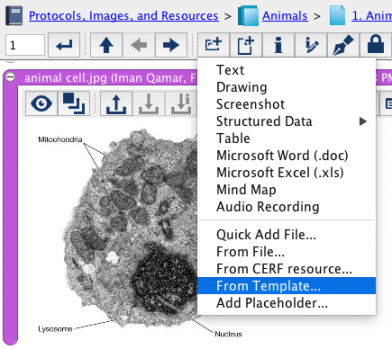
Click on the New Entry button select From Template. This opens the Select Notebook Entry Template dialog.
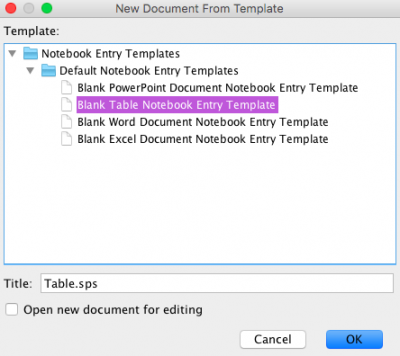
The default templates will be displayed as well as any specialized Notebook Entry templates you may have created. Note that you will see only those templates that by are owned by Domains to which you belong. Select a Notebook Entry Template from the list and click on OK to create the new Entry. Note that there are blank Word, Excel, and Powerpoint templates in the default Notebook Entry Templates. Select the checkbox on the dialog as shown below to open the new document for editing. You can change the title for the document by entering it into the text box on the dialog (or you can edit the metadata once it is in CERF).
< CERF Resource up File (Entry Type) >