
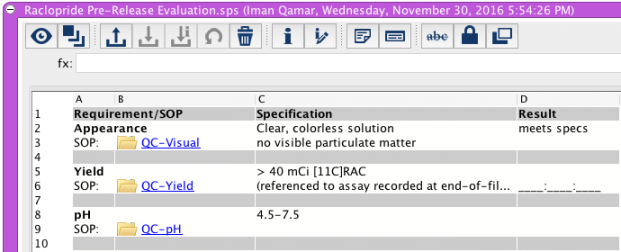
CERF offers the option to add a Table Entry your Notebook. The Table offers a host of spreadsheet-like functions, mathematical functions, and other organization and timesaving options. The Table Tool is a great way to create and track experimental workflows, to assign tasks, to document and display results, and to provide clear oversight. You can use the Table Tool to display your data in new ways. You can drag and drop documents or other CERF resources into the Table Entry. You can create actions for the table or specific cells within a table, add controlled vocabularies, and simple checkboxes.
Sections in this Topic
< Placeholders (Controlled Documents) up Creating and using a Table Entry >