
CERF 6.0 Documentation
Go to CERF 5.3 Documentation
1) Click on the New (plus) icon in the icon toolbar

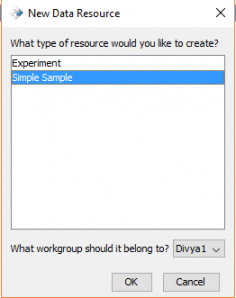
2) Select Sample and the appropriate workgroup, then press OK.
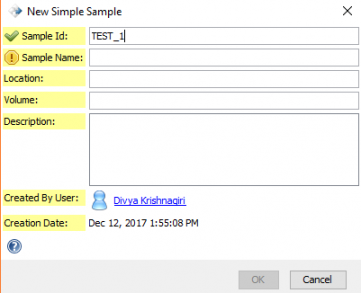
3) Fill in the fields with the appropriate information. Note: the yellow exclamation points will turn into green checkmarks once the field is filled out.
See also:
< Creating an Experiment up View SDIMS Card >