
CERF 6.0 Documentation
Go to CERF 5.3 Documentation
1) Select the New (plus) icon from the icon toolbar.

2) Select Experiment and the appropriate workgroup.
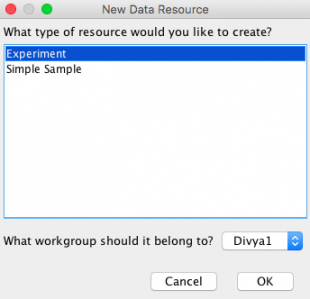
3) Fill in the appropriate fields and click OK. The Experiment Type is a field that can be configured using vocabularies. Each new term under the “experiment” header is an experiment type.
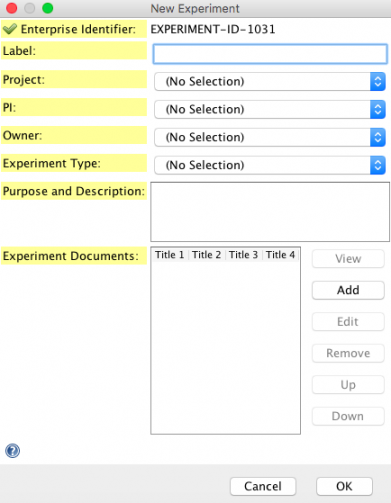
NOTE: To edit or create a suitable list of “Experiment Types” in the dropdown, you will need to be granted the “Edit Controlled Vocabulary” capability by a CERF admin. If you have that capability you can then edit this list using the Tools menu > Manage Vocabularies.
See Also:
< Data and Forms Icons up Creating a Sample >