
CERF 6.0 Documentation
Go to CERF 5.3 Documentation
In order to view a resource:
1) Navigate to the Data and Forms tab in the middle panel.

2) Select your desired resource (Sample or Experiment) from the dropdown menu.

3) All of the entries from that data type will be shown in the table below. Click on any header to sort the entries.
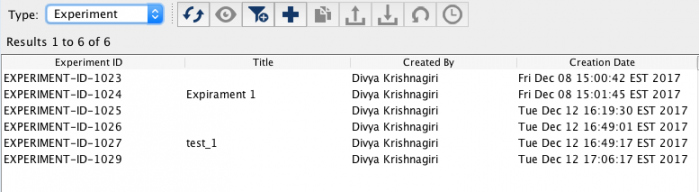
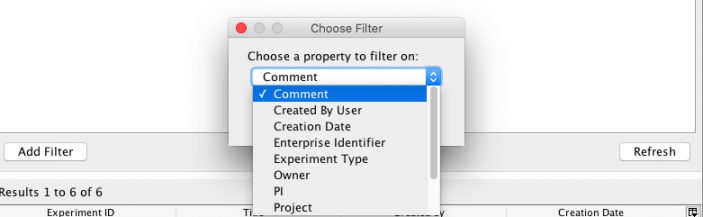
4) You can also use the “filter” icon in the icon toolbar to find a specific set of entries.

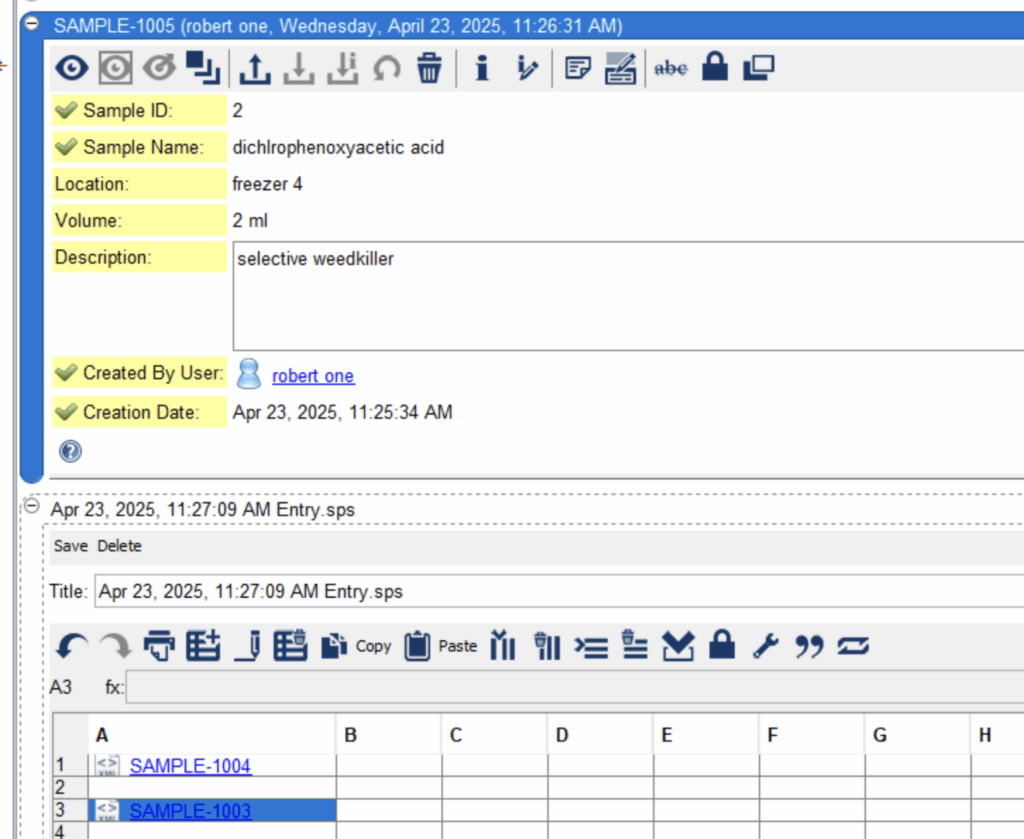
5) SDIMS cards can also be created in-situ within notebooks and will be automatically added to the correct list in the SDIMS area. Once cards have been created, they can be referenced throughout CERF. For example they can be added as relations to other resources or added to CERF Notebooks as entries by either search-and-select or drag-and-drop, or they used within the CERF Table entries to show lists of cards, or to convey, for example spatial relationships between samples arranged in a grid:
< Creating a Sample up Controlled Documents Pane >