
CERF 6.0 Documentation
Go to CERF 5.3 Documentation
Logging Tab – there are two options in this tab
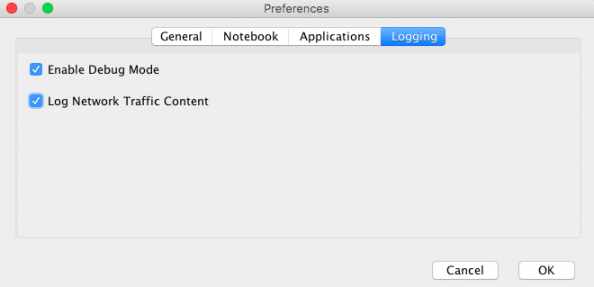
- You can Enable “Debug Mode,” which captures the most detailed information for the CERF client log. This log is useful if there if ever a problem and the Lab-Ally CERF support team asks you to send a copy of your log file.
- You can Log Network Traffic Content. This is helpful if there is ever a problem with the performance of CERF. Often slowdowns are due to an increase in network traffic.
The default setting is to have both of these disabled.
< Options – Applications up CERF Toolbars >