
CERF 6.0 Documentation
Go to CERF 5.3 Documentation
Notebook Tab – There are three options in this tab:
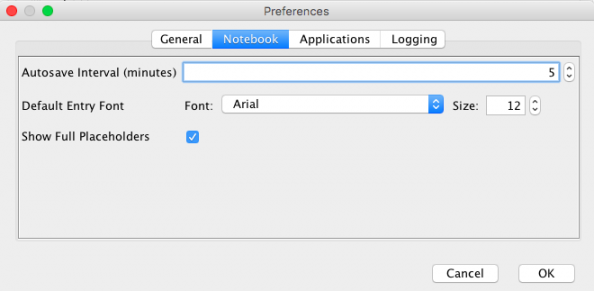
- Set the Autosave Interval for saving text entries in your Notebook. If you are editing a text entry and are disconnected from the CERF server for any reason, your work will be saved. As soon as you log in, you will be able to check in the text entry. If you are in the process of creating a text entry and something happens (e.g., your network goes down and you lose the server connection), you will be able to navigate to the page and reopen the saved content in a new text entry editor the next time you log in.
- Set the Default Entry Font for your Notebook text Entries.
- Show or hide Full Placeholders – For Placeholders that are restricted to a specified number of files, you can choose to hide or show the Placeholder when the limit has been reached.
< Options – General up Options – Applications >