
To manage the Workgroups you administer, select Access > Workgroups. The list includes ONLY workgroups in which you are Workgroup Admin:
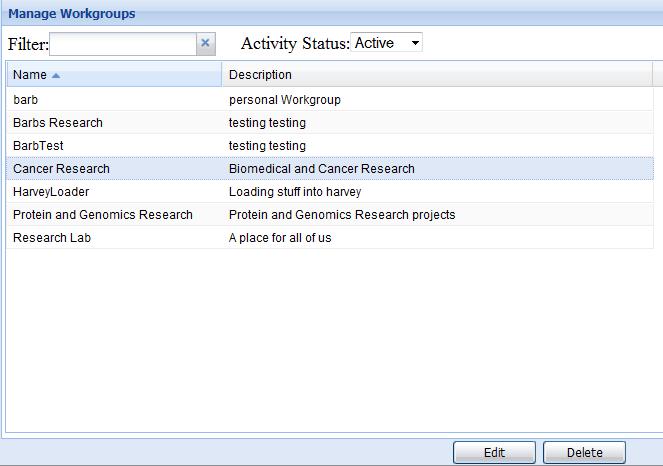
Note that the Delete Workgroup function is only functional if a user has System Administrator privileges. Select a Workgroup and click on Edit to add/remove users or change their roles.
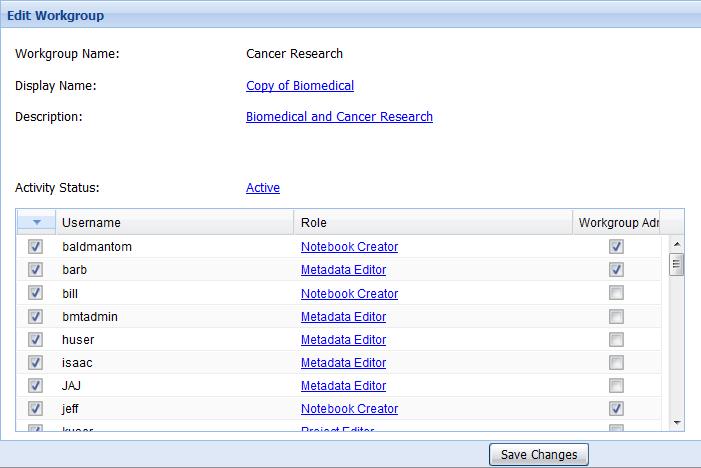
To add/remove users, select/deselect the checkbox next to a user’s name. To change a user’s role, click on the role shown to see the list. Select the checkbox under Workgroup Admin for users who should have this privilege (allows them to add/remove users and change their roles). Click on Save Changes when you are finished.
Note that these functions can also be carried out from the CERF client (Sessions > Manage Workgroups) if you are a Workgroup Admin.
< Mounted Collections up Signature Groups >