
CERF 5.3 Documentation
Go to CERF 6.0 Documentation
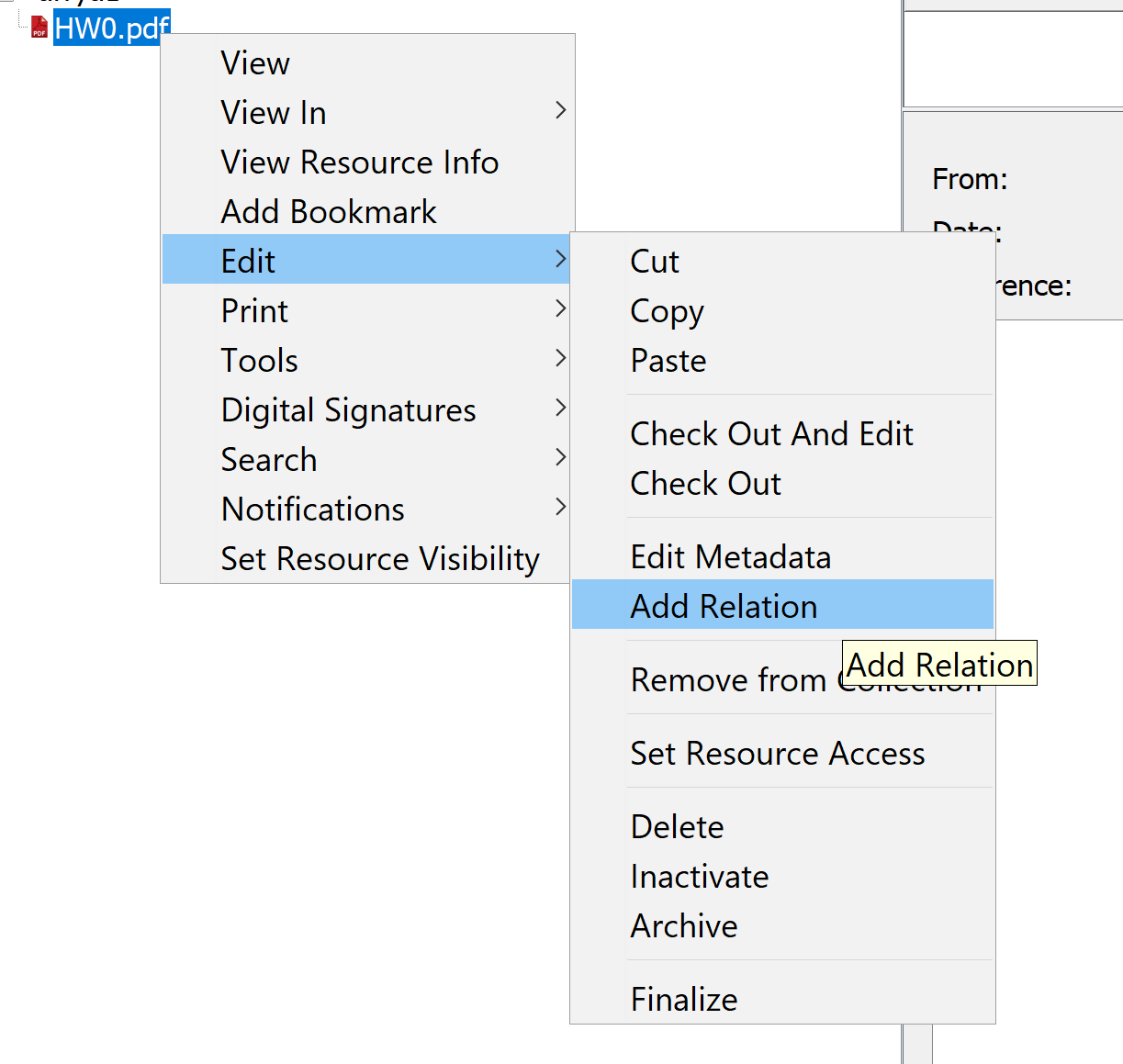
- Right-click on the Resource to which you will add a database cross-reference link and select Edit > Add Relation.
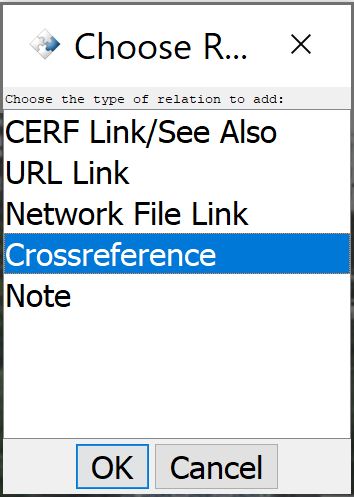
- Select Crossreference from the Choose Relation dialog and click OK.
- This launches the Edit Crossreference Link dialog (shown below).
- Select the database of interest and enter a parameter that corresponds to an access ID for the selected database. Click OK.
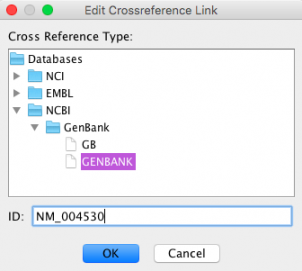
Note: This is a customizable feature that allows you to select registered databases, organized by repository. Contact Lab-Ally for more information.
To access this link, select the Resource you annotated (it will have an annotation icon  next to it
Next open the Resource Info tab and expand the Relations and Annotations pane to access the crossreference link (shown below). Click on the link to launch the crossreference in your browser. Click on the small ‘X’ icon  to delete this annotation.

< URL Links up Network File Links >